Big week. Your show's Apple Podcasts chart rank is now visible right on the podcast overview, the AI co-host gained a session command center and a redesigned memory browser, and Social Content learned how to generate still images alongside video clips. Here's everything that shipped.
New features
Apple Podcasts chart ranking
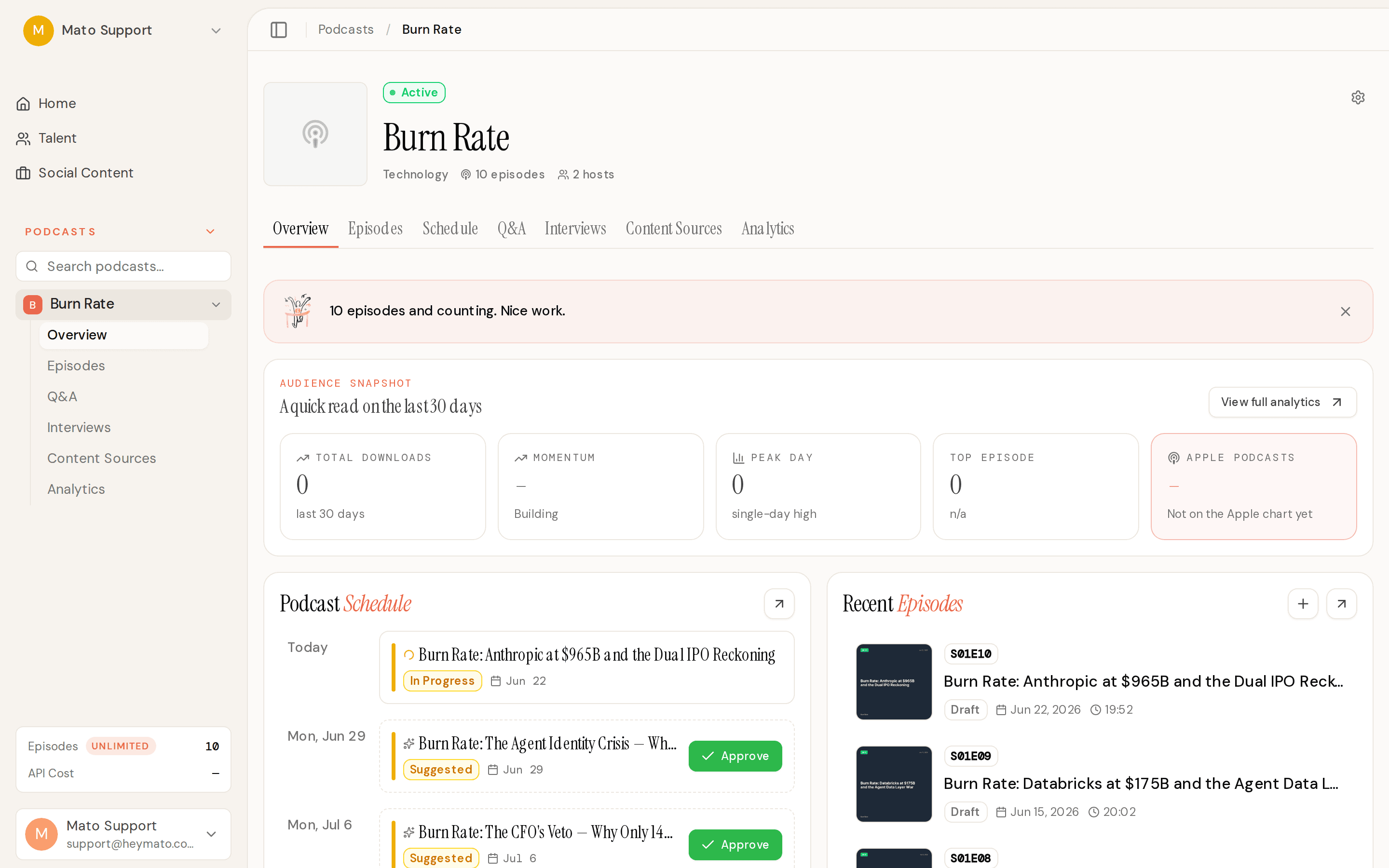
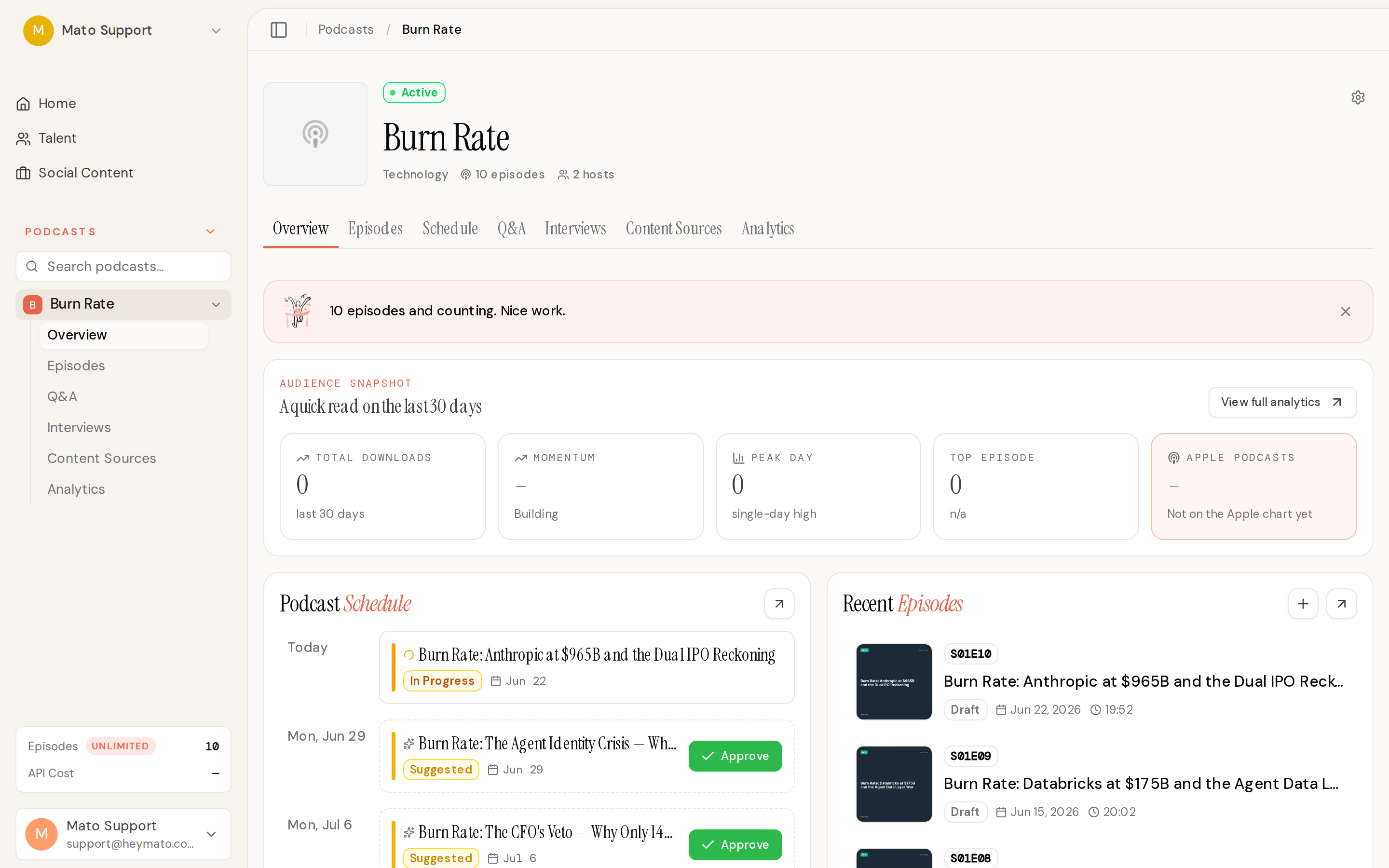
If your show is distributed through Mato, you can now see your Apple Podcasts chart position directly on the podcast overview page and the analytics dashboard. The overview's audience snapshot strip includes a new "Apple Podcasts" card showing your current rank, movement direction (up, down, new entry, or steady), and an encouraging "Not on the Apple chart yet" nudge for shows that haven't charted.
When your show first hits a chart, you'll get a celebration email through the existing milestone system. The detector checks daily and fires once per tier (top 200, top 100, top 50, and so on down to #1), with automatic suppression so a debut at #47 doesn't trigger five separate emails. These milestones also appear in the weekly digest if your show crossed a new threshold that week.
Co-Host Command Center
The AI co-host has a new tab on your podcast detail page. The Command Center is a single place to see every co-host session's status: sessions in prep, recording, assembly, review, and finished episodes. Filter buttons at the top break things down by "Needs attention," "Active," and "Completed," each with a live count badge. Session cards show the current lifecycle stage with color-coded status indicators, and each card links directly to the appropriate action (resume recording, review curation decisions, view the finished episode). A right sidebar shows the assembly pipeline summary and a shortcut to the show memory page.
Co-Host Memory browser redesign
The Memory tab got a full rebuild to match the new Mato design language. At the top, a briefing card shows a summary of what your co-host knows, with stats on recurring themes, open threads, running bets, and items needing review. Below that, a filter bar with search lets you browse through themes (with strength bars and confidence chips), open threads and running bets, quotes, and claims. A right rail shows memory readiness metrics (sources, themes, entities, relationships), what the co-host actually uses live, a needs-review queue, latest sources, and an entity cloud. The briefing is editable inline, and you can suppress or restore any memory item.
Co-Host episode assembly
Recorded co-host sessions can now be turned into fully produced episodes. After a session ends, an 18-step pipeline handles segment mapping, AI curation (which segments to include), optional manual review with a 24-hour window, creator audio extraction, AI host TTS generation, final assembly, episode creation, and show notes. The assembly review UI shows curation decisions, a progress bar, and an episode preview with metadata editing. You can re-assemble after toggling segment inclusion without losing your previous curation decisions.
AI-generated social images
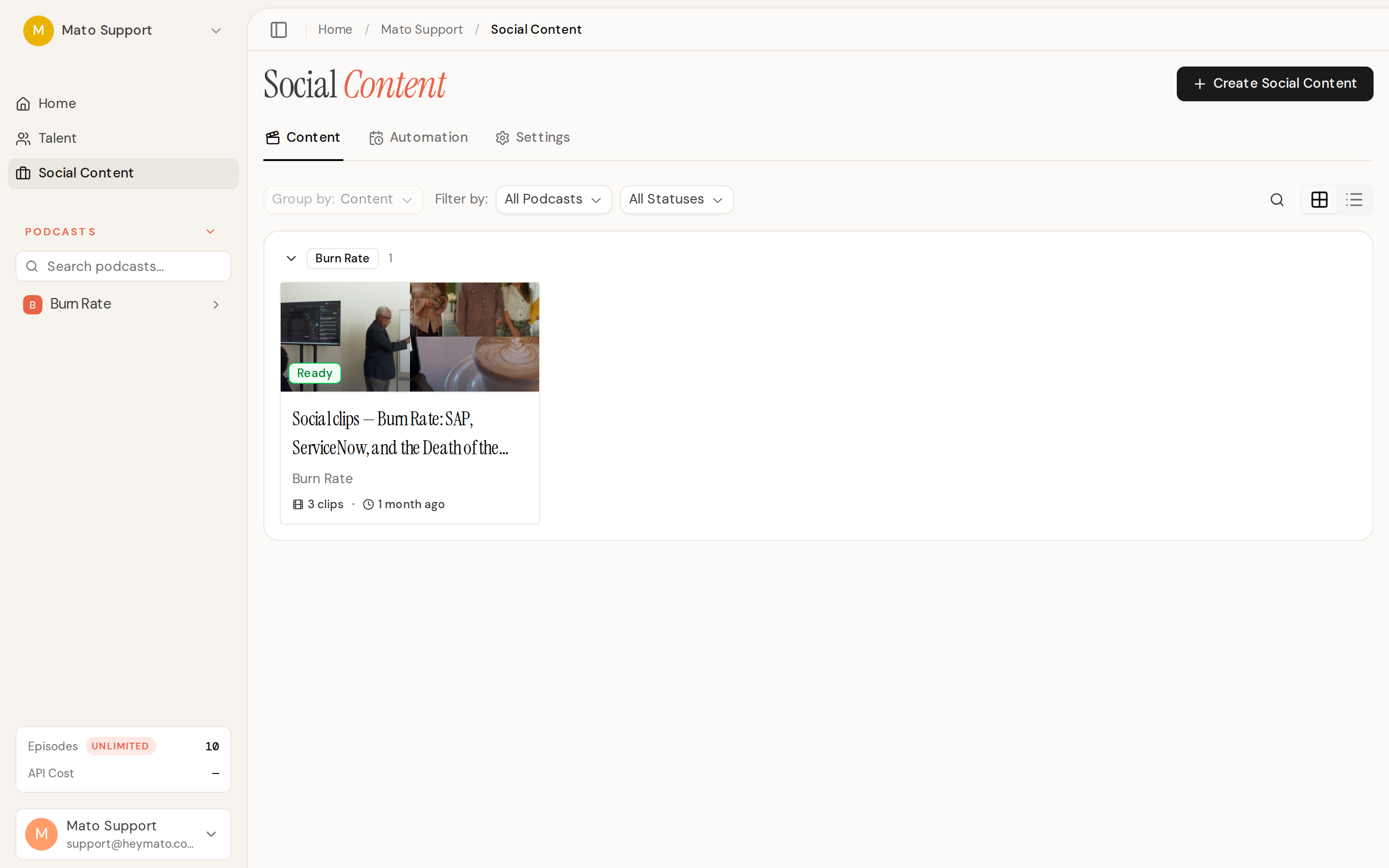
Social Content can now produce static images in addition to video clips. When you create new social content, you choose between Video and Image mode. Image mode uses Gemini 2.5 Flash to generate illustrations that respect your podcast's brand colors, and optionally include host likeness. Four templates are available: Editorial-news, Quote-card, Announcement, and "Let AI decide." Generated images come with an AI-powered editor where you can refine the result by typing a prompt. Images flow through the same scheduler and publishing pipeline as video clips, and the automation settings now support per-slot media type selection.
Split-screen interview clips
Interview social clips gained a split-screen format. An AI host avatar speaks a punchy lead-in at the top of the frame while the interview guest answers below, separated by a branded divider. Each half has its own caption track. The host lead-in is written by Claude and clamped to 5 to 15 seconds, and the host's lip-synced avatar video is generated through WaveSpeed. If no host portrait is available, the clip renders with a branded placeholder instead of breaking.
Improvements
Analytics dashboard rebuild
The analytics tab was rebuilt from the ground up with a new scrollytelling layout. A sticky jump-nav lets you hop between sections: Overview KPI grid, Downloads over time with a momentum callout, Apple ranking with a multi-market category table, Episodes with share-of-total and signal tags, Geography, Apps and devices, interpretation cards, and Records and next targets. A command bar at the top provides period selection, CSV export, and refresh. The overview analytics strip on the podcast page was also restyled to match the new KPI card design.
Co-host sounds more human
The AI co-host prompt got two rounds of overhaul this week. The first pass added 16 behavioral rules (opinion-first turns, no grading the creator, match energy, cross-episode callbacks), thinned the rundown so the co-host doesn't front-load later segment material, enriched the initiative dial so "I lead" through "AI leads" produce noticeably different behavior, and formatted emotion tags as visual chips in the live transcript. The second pass cut the prompt nearly in half (12.7k to 6.6k characters), added a hard brevity rule (1 to 3 sentences per turn, never monologue), a "lead with a take" rule so the co-host doesn't turn every response into a question, and a stay-in-character block that deflects prompt-injection attempts in character instead of leaking backstage instructions.
Warmup calibration
Before recording starts, the warmup phase now runs as a structured calibration pass. The co-host confirms the opening angle, must-cover topics, things to avoid, and where to start. A correction summary extracted from the warmup recap carries into the record-time prompt so the co-host respects what you agreed on. The warmup transcript itself stays excluded from the final episode.
Script editor polish
The episode script editor now works properly in dark mode, with all hardcoded colors migrated to semantic tokens. Ctrl/Cmd+S saves the script, a Format Reference popover shows the script format cheatsheet, and a Shortcuts popover lists keyboard shortcuts with platform-aware labels. The segment sidebar got a divider under the heading and the "Ask AI" floating button is more visible.
Green Room and live room design parity
The co-host Green Room reached full design-03 spec with proper card headers, segment rows, consent animation, the initiative dial card, and participant roster. Dark mode support was added across the board. In the live record room, the "Off the record" marker now appears in the transcript when toggled (previously it was invisible), the initiative dial takes real effect mid-recording by pushing a contextual update to the AI agent, and the layout splits roughly 50/50 between the plan and the conversation transcript.
Social automation scheduling
Automated social content now picks up same-day slots so overdue clips catch up immediately instead of pushing to tomorrow. Queue times display in the rule's timezone with a visible abbreviation. The automation settings got a duration picker with labeled options instead of a free-text input, and increasing the clip count auto-adds a time slot.
Script production leak detection
Generated scripts now run through a detector that catches production chatter and meta-dialogue that shouldn't make it to air. If the AI writes stage directions, bracket notes, or behind-the-scenes commentary into host dialogue, the generator retries once with targeted feedback. If the retry still contains leaks, it blocks the script before it reaches TTS.
Bug fixes
Fixed interview afterthought transitions losing their audio bumpers during regenerated episode assembly. The parser now carries marker metadata through section regeneration so only true interview-body segments skip adjacent transitions.
Fixed interview host voice alignment when a talent has voices from multiple TTS providers. The system now prefers the voice matching the podcast feed's configured TTS provider for both initial generation and audio regeneration.
Fixed Gemini TTS occasionally speaking control tags aloud. Leaked bracket and parenthesis tags from the transcript are now detected and stripped, with a retry using the cleaned text.
Fixed the Stripe checkout modal's corners being covered by the scrollbar on long forms. The modal now clips the scrollbar to the border radius, and a sticky circular close button stays reachable while scrolling.
Fixed the sidebar icon rail not scrolling when a team has many podcasts. The collapsed sidebar now allows vertical scrolling on hover.
Fixed Buzzsprout publishing sending three retries and a Sentry alert for subscription limit errors. Client-side 4xx errors (lapsed subscription, over limit) now fail with a friendly message in one attempt instead of burning retries and paging the ops channel.
Fixed the podcast creation wizard missing a bi-weekly schedule option. Daily, weekly, bi-weekly, and monthly frequencies are all available now, with a day-of-month picker for monthly schedules.